
Anyone who has been involved in hosting long enough eventually discovers that it’s pretty rare for support tickets to arrive already packed with the details you actually need for troubleshooting.
The ticket itself may contain just enough information to start a conversation, but rarely enough to understand the situation. To see why, look no further than a few common customer reports:
| The Reported Problem | The Missing Context |
| “My VPS is unreachable” | Is the VM running now? Which node hosts it? Are there any recent status changes? |
| “My server suddenly became slow overnight” | Are CPU, memory, or disk resources under pressure? Has anything changed since yesterday? |
| “I am missing resources included in my plan” | What resources are assigned to the VM at the moment, and how do they compare to the customer’s package? |
What happens next is a ritual all too familiar to many. Support agents move between the ticketing system, the virtualization platform, monitoring tools, client records, and whatever internal documentation happens to contain the missing piece of the puzzle. Every one of those extra steps adds time between a problem and its resolution.
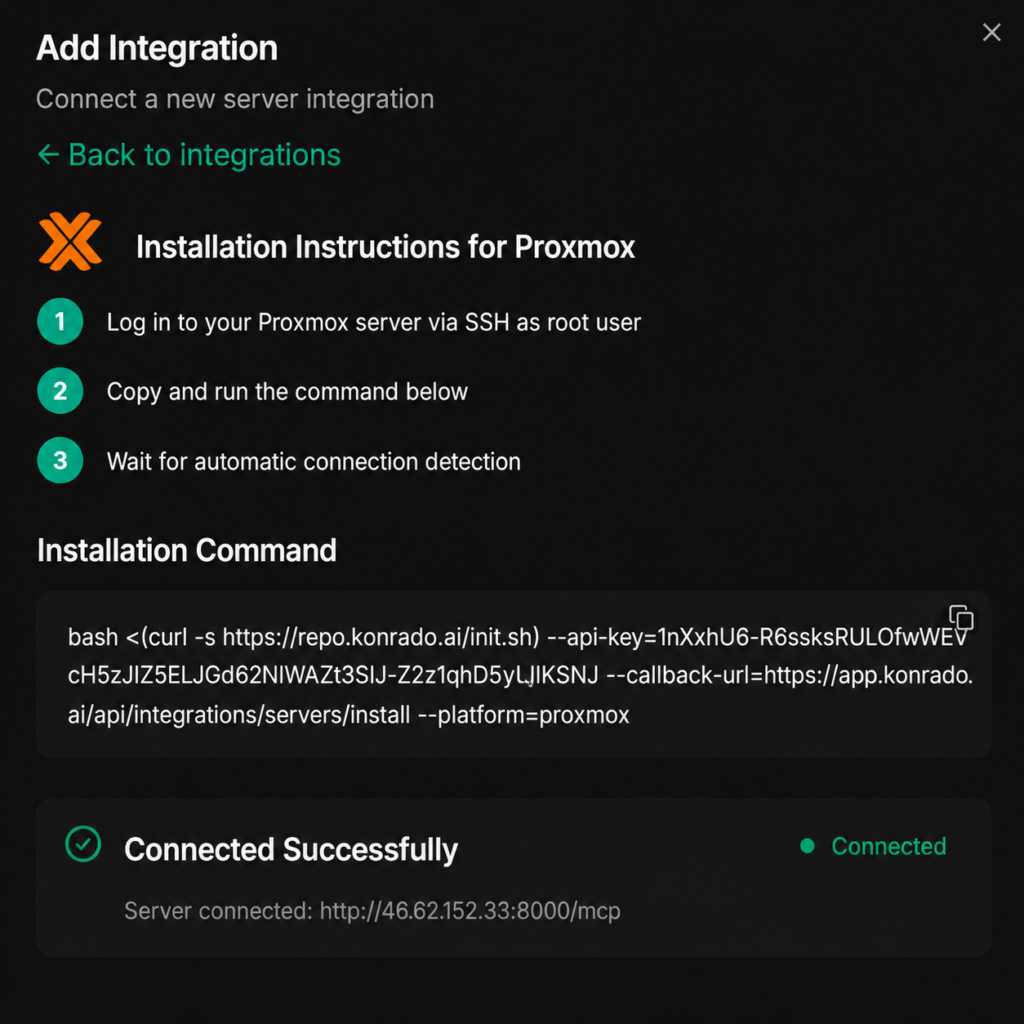
The Proxmox integration helps close that gap by bringing infrastructure awareness directly into Konrado.AI.
By connecting Proxmox to Konrado.AI, support teams can give AI access to the virtualization context surrounding a ticket instead of forcing it to rely solely on what the customer saw fit to share. The result is an assistant that goes beyond the wording of a conversation and understands the environment behind it as well. One that can recognize a complaint about a VPS, but also the node hosting it, the resources allocated to it, the snapshots available for it, and the other technical signals that might explain what the customer is experiencing.
More Than What the User Wrote
One of the more useful aspects of the Proxmox integration is the type of information it makes available during support investigations.
With the Proxmox integration enabled, Konrado.AI can retrieve data about virtual machines, containers, node placement, resource allocations, network configuration, runtime status, storage definitions, and other relevant infrastructure details directly from the Proxmox environment. Rather than treating a ticket as an isolated piece of text, the AI can evaluate it within the context of the infrastructure it refers to.
That additional awareness changes support interactions in very practical ways:
- Responses become more precise and less reliant on generic assumptions.
- Investigations start with the relevant environment already mapped out.
- Support teams spend less time manually building the full picture and more time addressing the issue itself.
Context at Work
Proxmox integration opens the door to a wide range of practical support scenarios.
Imagine a customer opening a ticket saying that a virtual machine suddenly feels slower than usual after a period of stable performance. Instead of responding purely to the description, Konrado.AI can help support teams investigate the surrounding infrastructure conditions and identify whether resource pressure or configuration details might explain the behaviour.
Or consider a customer asking whether a migration completed successfully after maintenance work. The ticket itself may provide very little information, but the surrounding infrastructure data often tells a much more complete story.
Even relatively simple requests become easier to navigate when the AI understands where a VM is located, what resources have been allocated to it, and how it relates to the rest of the environment.
The value is not that AI suddenly becomes an infrastructure engineer, but that it begins every conversation with considerably more awareness than a ticket alone could provide.
Keeping Humans in Control
The hosting industry has spent decades building processes around reliability and careful resource monitoring. The Proxmox integration fits naturally into that mindset. It helps support teams understand environments more effectively without attempting to automate away the judgment that experienced operators bring to the table.
The integration is intentionally designed around visibility and support background rather than infrastructure control. Konrado.AI can read relevant information from the Proxmox environment, but it cannot power on virtual machines, reboot servers, modify resource allocations, create or restore snapshots, migrate workloads, alter cluster configuration, or perform other administrative actions. Those decisions remain firmly under operator control.
Starting With Answers, Not Questions
For years, AI in support has been measured by how well it talks. Hosting providers, however, rarely struggle with conversation. They struggle with diagnosis, and that’s because nobody resolves a virtualization issue using language alone. A well-written reply is useful, but only if it is built on an accurate understanding of what is happening inside the infrastructure.
That is what makes Konrado.AI such a helpful tool for Proxmox providers. For those interested in going beyond the overview presented here, the documentation offers a detailed look at the integration and what Konrado.AI can do once connected to your Proxmox environment.


Write a Reply