It is 09:30, and a buyer on your pricing page wants to move their WordPress sites to you. They ask the chat which plan fits, then ask for a person. Your sales desk answers WhatsApp all day. A chatbot handoff to WhatsApp gives the buyer that question written out, ready to send to your desk.
Questions people ask before they buy belong on WhatsApp. Technical support belongs in tickets. That split is wrong for a team whose customers reach it only on WhatsApp, and for one where nobody answers WhatsApp during the day.
Why technical support stays in tickets
Gigacore, an international hosting provider, made that move for its support. It discontinued direct human technical support through WhatsApp and sent customers to its ticket system, where Konrado.AI is now the first point of contact. The change brought every support conversation into one place and made every issue easier to review later.
Two chats, each with its own handoff
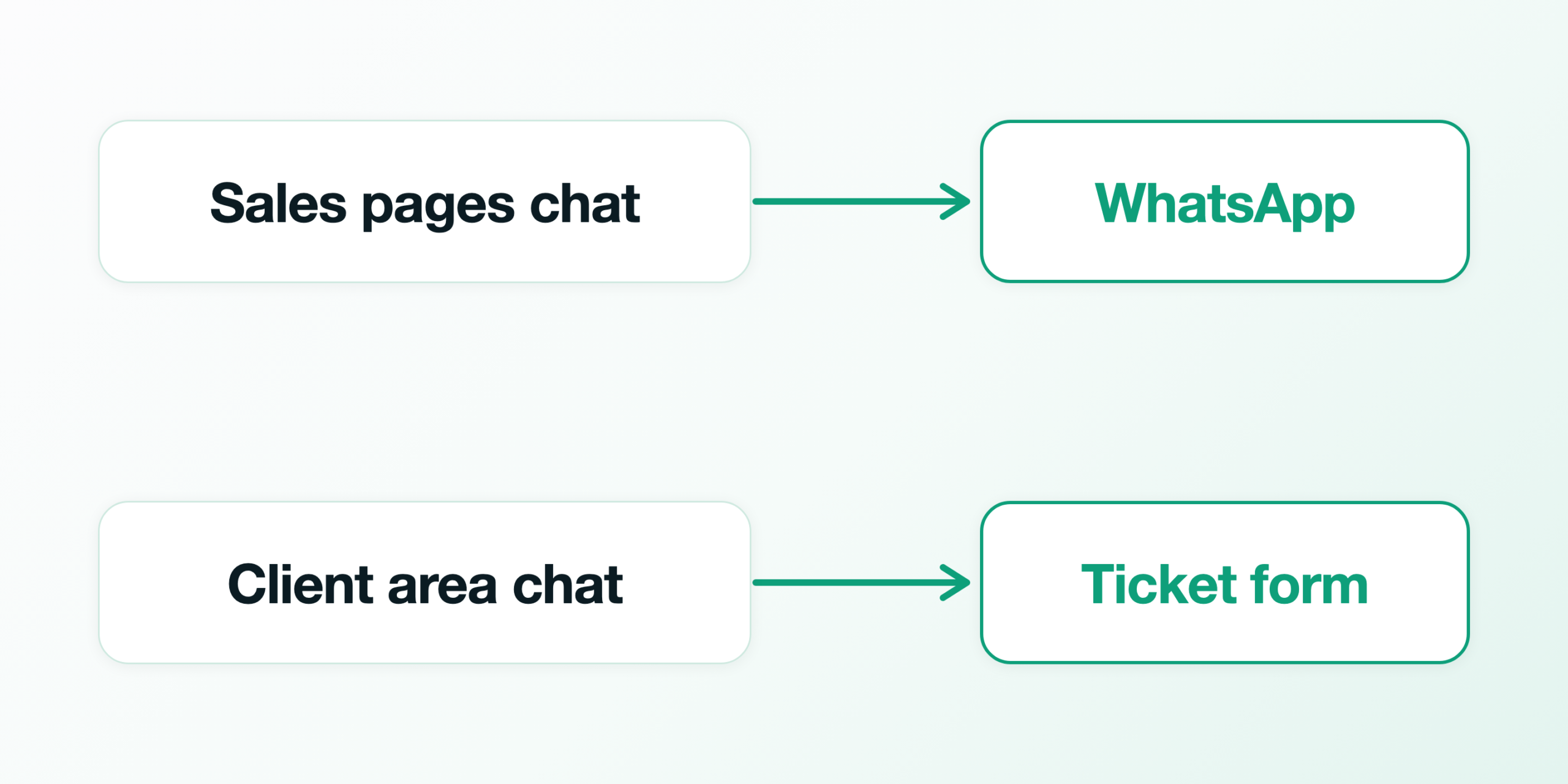
Each chat has one handoff, the ticket form or WhatsApp, set in its own Chat Actions. So the split takes two chats, one for buyers and one for customers.
The diagram shows where each chat sits and where it hands off.
The second chat comes with a second agent. Your plan limits credits, not how many agents you create, and all your agents share the knowledge base. Keep the chat in your WHMCS client area on the agent that holds your help desk. That agent then answers your tickets and the client area chat from the same instructions.
From 1 August to 13 November 2026, Konrado’s chat analysis marked 250 of the 2,150 website chats on our customers’ sites as needing a person. Those chats, about 1 in 9, are the ones a handoff is for.
At 09:32, the buyer gets a message to send
When the buyer asks for a person, Konrado offers WhatsApp in the chat. In the chat of Larkmoor Hosting, our demo company, a made-up buyer is moving three WordPress sites from another host. The chat suggests a plan and asks whether one of them is a busy shop. One is a WooCommerce shop, the buyer writes, and they would rather talk it through with a person before they order.
This is the card the buyer sees under the reply.
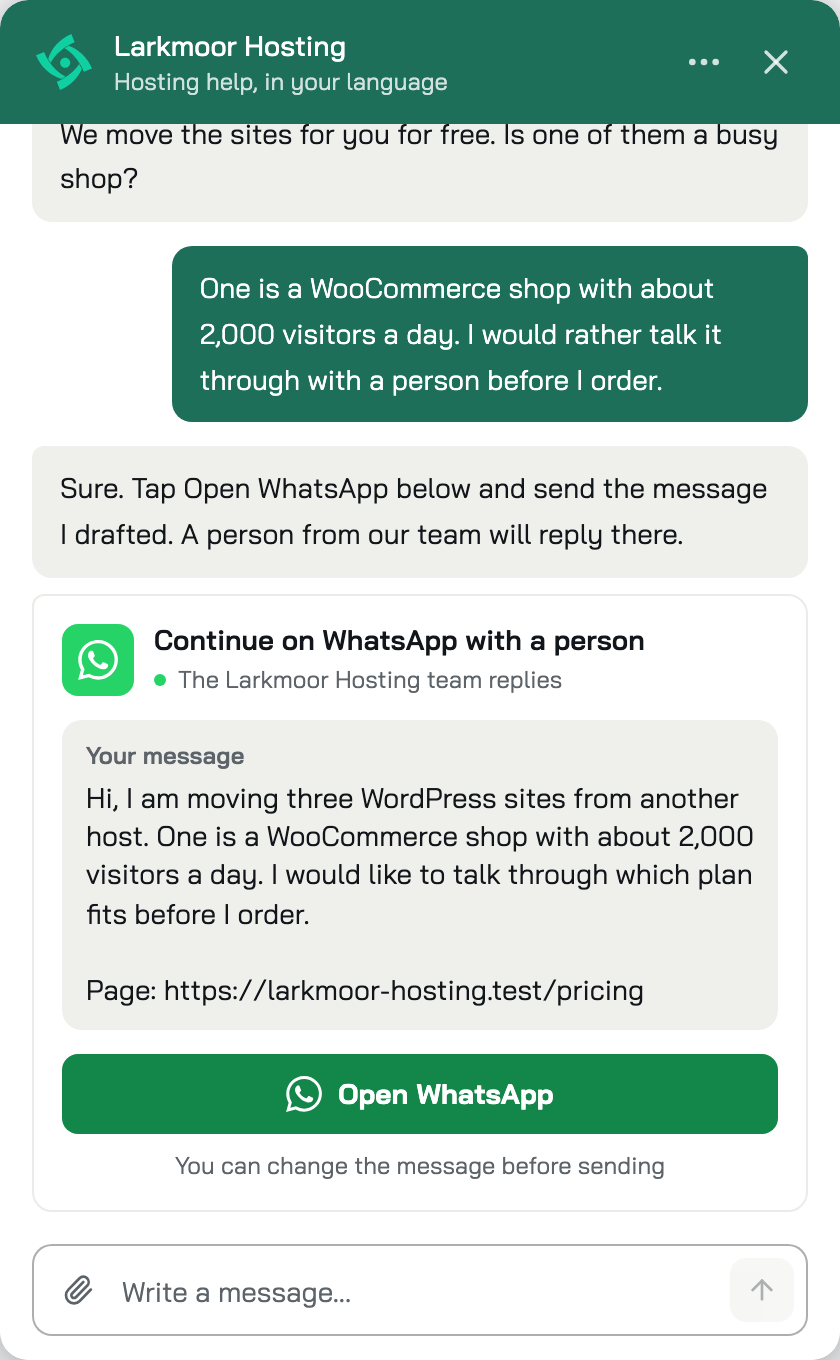
What reaches your sales desk
Your desk gets the buyer’s message on WhatsApp, with the page they were on when you turn that on. Konrado creates no ticket and no lead. The chat stays in your Inbox under Needs a human, and its reply shows Offered WhatsApp with a card that holds the number and the message Konrado drafted.
This is the buyer’s chat in Larkmoor’s Inbox.
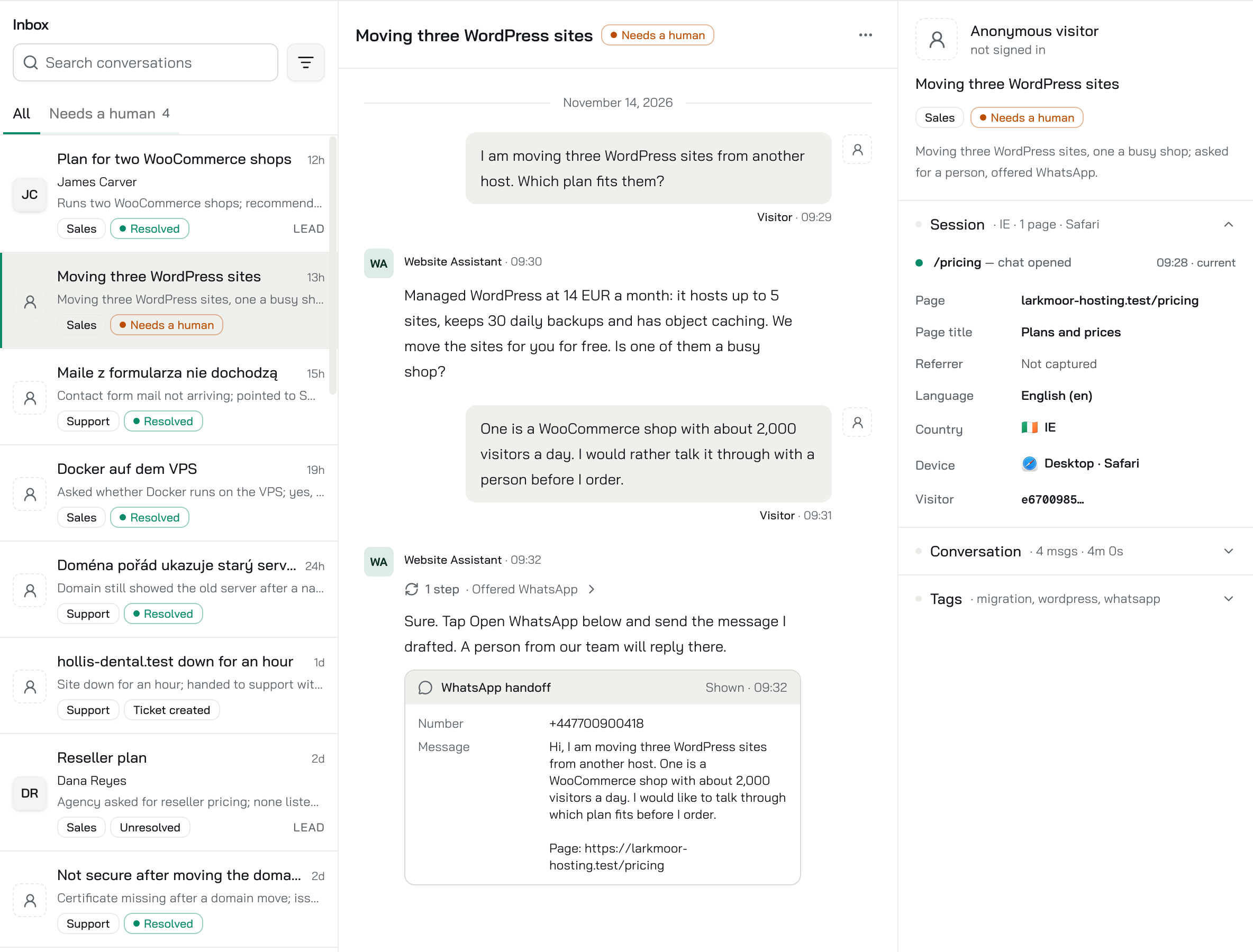
The Inbox shows the offer, and your WhatsApp shows whether the buyer sent it. If they close WhatsApp without sending, nothing reaches your desk, because Konrado sent nothing. When your desk has answered on WhatsApp, mark the chat as handled in the Inbox, and it leaves Needs a human. If nobody answers WhatsApp in the evening, a buyer handed over at 23:00 waits there until morning. A ticket from the chat waits for a person too.
Set up the sales chat
The clicks for the WhatsApp handoff are on the Chat Actions page.
Larkmoor’s handoff, set to WhatsApp, looks like this.
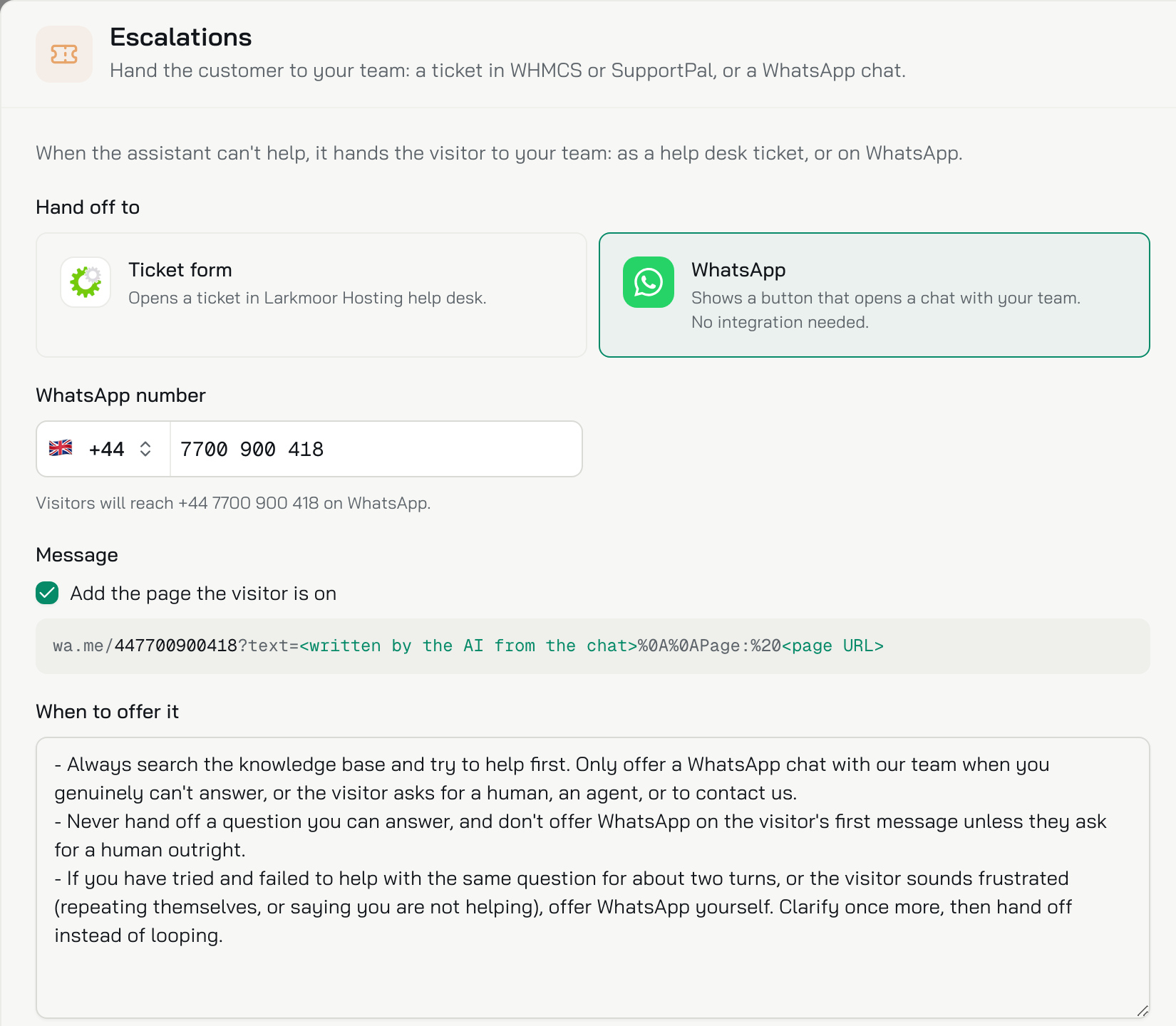
What to do now
Start with the hours your sales desk keeps on WhatsApp. If someone answers there all day, add the sales agent as Your agent shows, and give its chat the WhatsApp handoff. Leave the client area’s chat on the ticket form, and check the Inbox for the chats each one handed over.