A customer writes in the evening to ask why their account is suspended, or where to change a mail setting. The question is simple, but it waits for the morning shift. The first reply comes the next day. To reduce first response time after hours without a night shift, let Konrado answer while you are out.
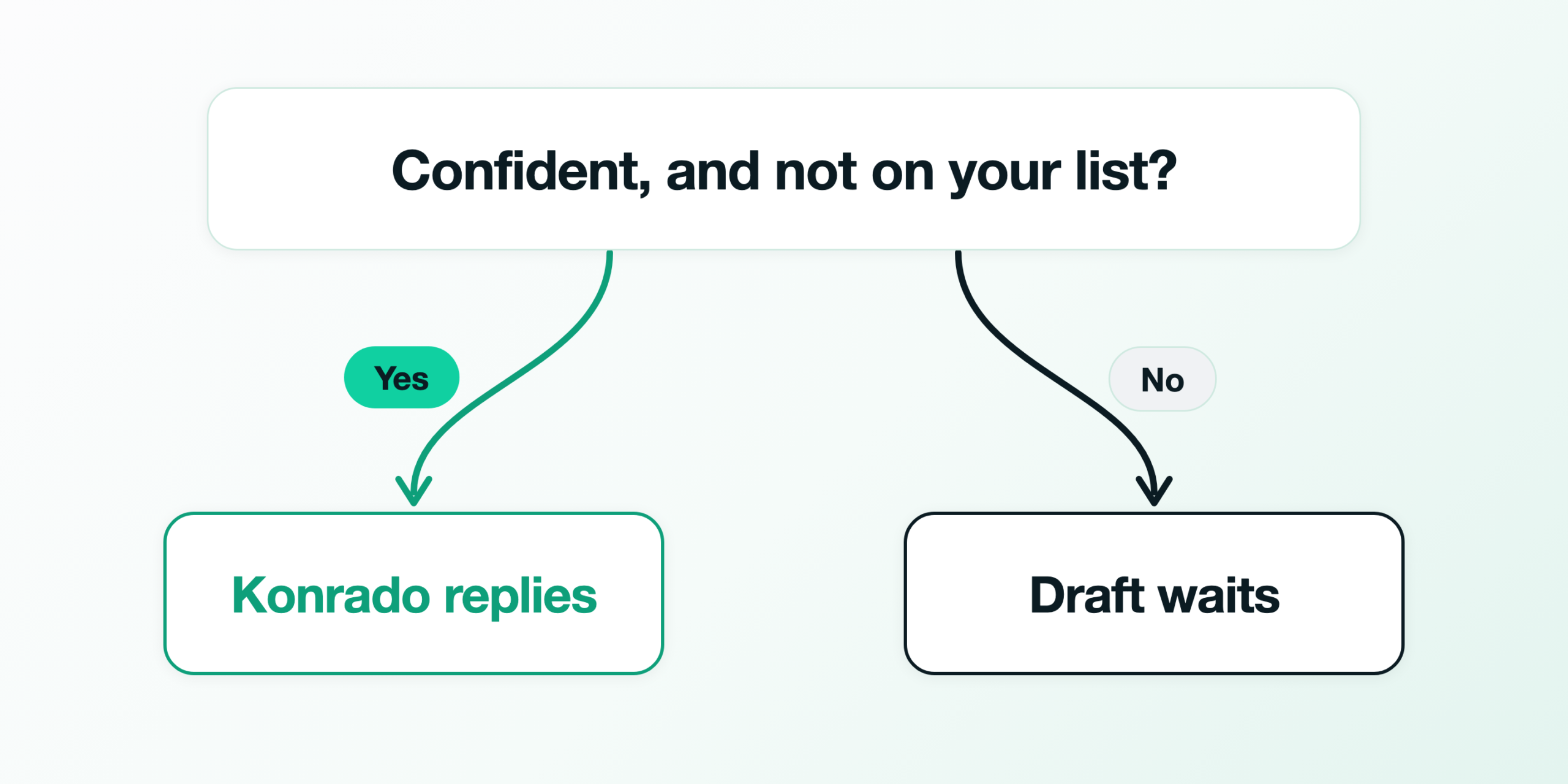
In office hours, someone on your team reads Konrado’s draft and sends it. At night that draft would wait until morning. So go Live with the After hours schedule: Konrado then sends replies only at night and at weekends, and office hours keep their drafts. In those hours it sends only the replies it is confident about. The rest waits for your team with a draft, and so does any ticket on your list of what always goes to a person. The diagram shows the question a night ticket meets.
Before the first night
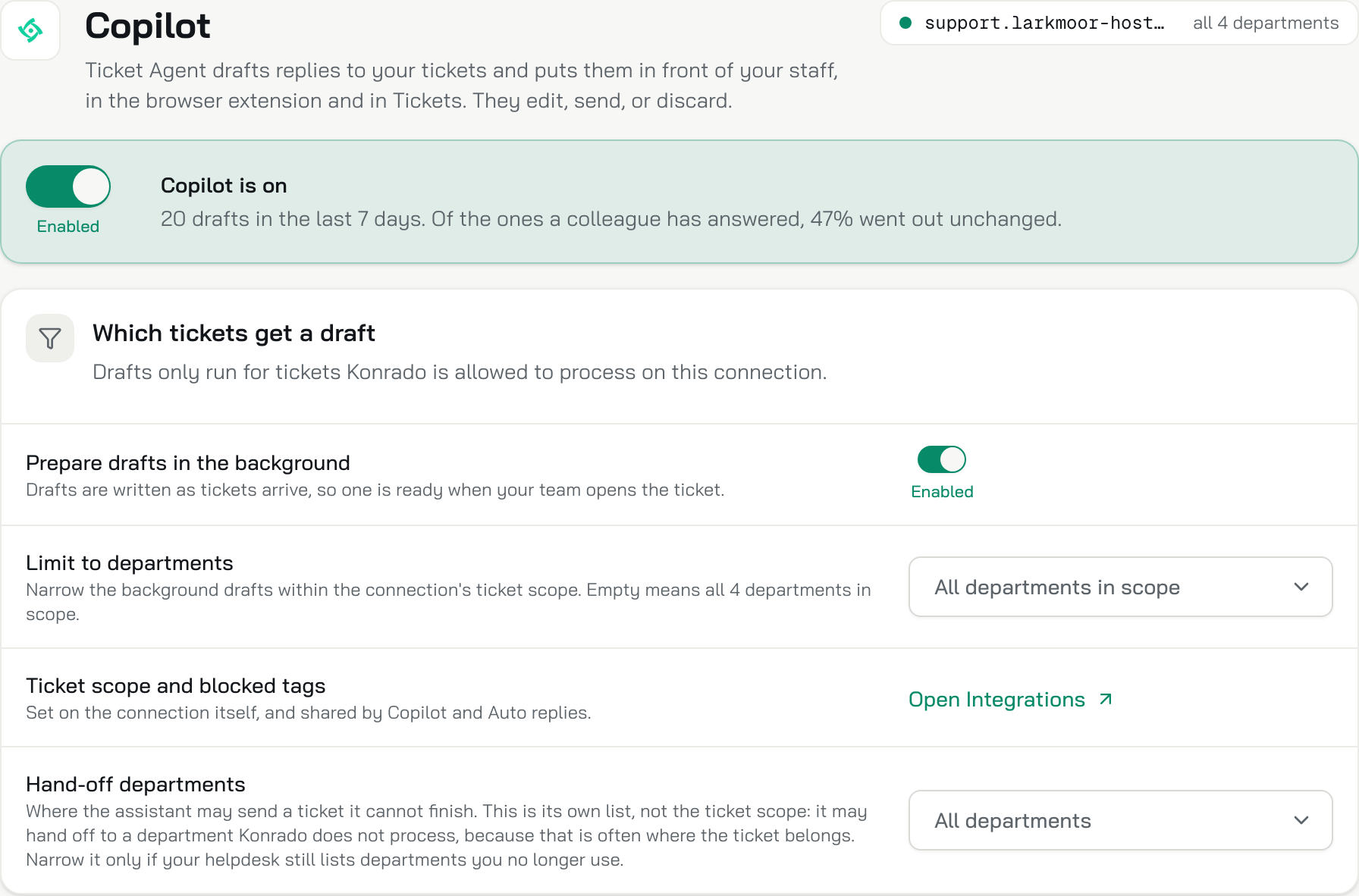
First, make sure Konrado has drafts to send. At night it decides on the draft Copilot already wrote, so Copilot and its background drafts both have to be on. With either one off, there is nothing to send. Your team keeps working from those same drafts in office hours, so nothing changes for them by day. The Copilot guide shows where both switches are. Here they are on the Copilot page of Larkmoor Hosting, a demo company we made up for these screens.
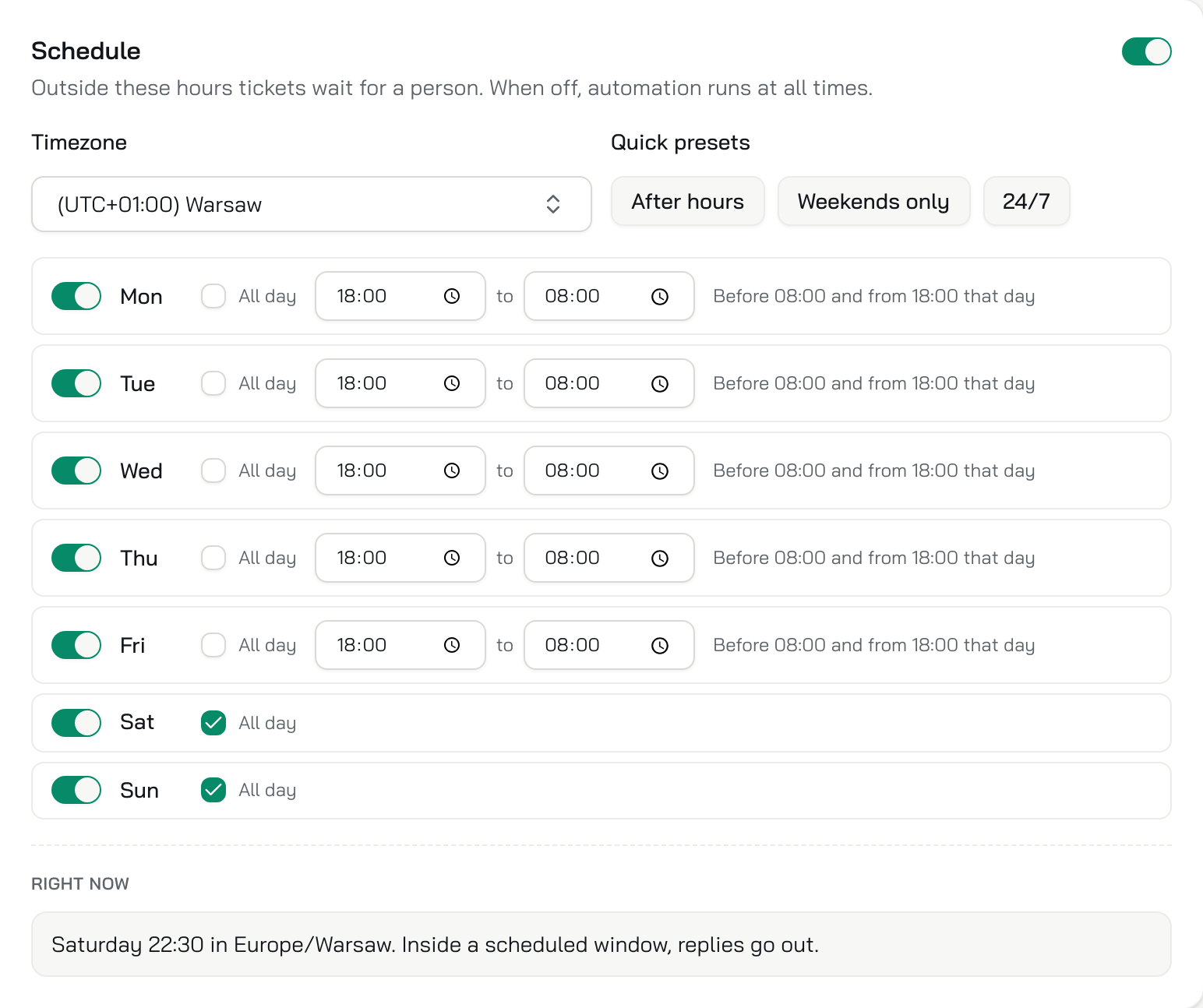
Next, turn the Schedule on, because with it off, Live answers at all hours. Pick your team’s time zone and the After hours preset. It covers weekdays from 18:00 to 08:00 and weekends all day, and outside those windows tickets wait for a person. Do this now, before the shadow week: Shadow follows the Schedule too, so the week will count only your nights and weekends. Larkmoor’s Schedule, below, is on that preset.
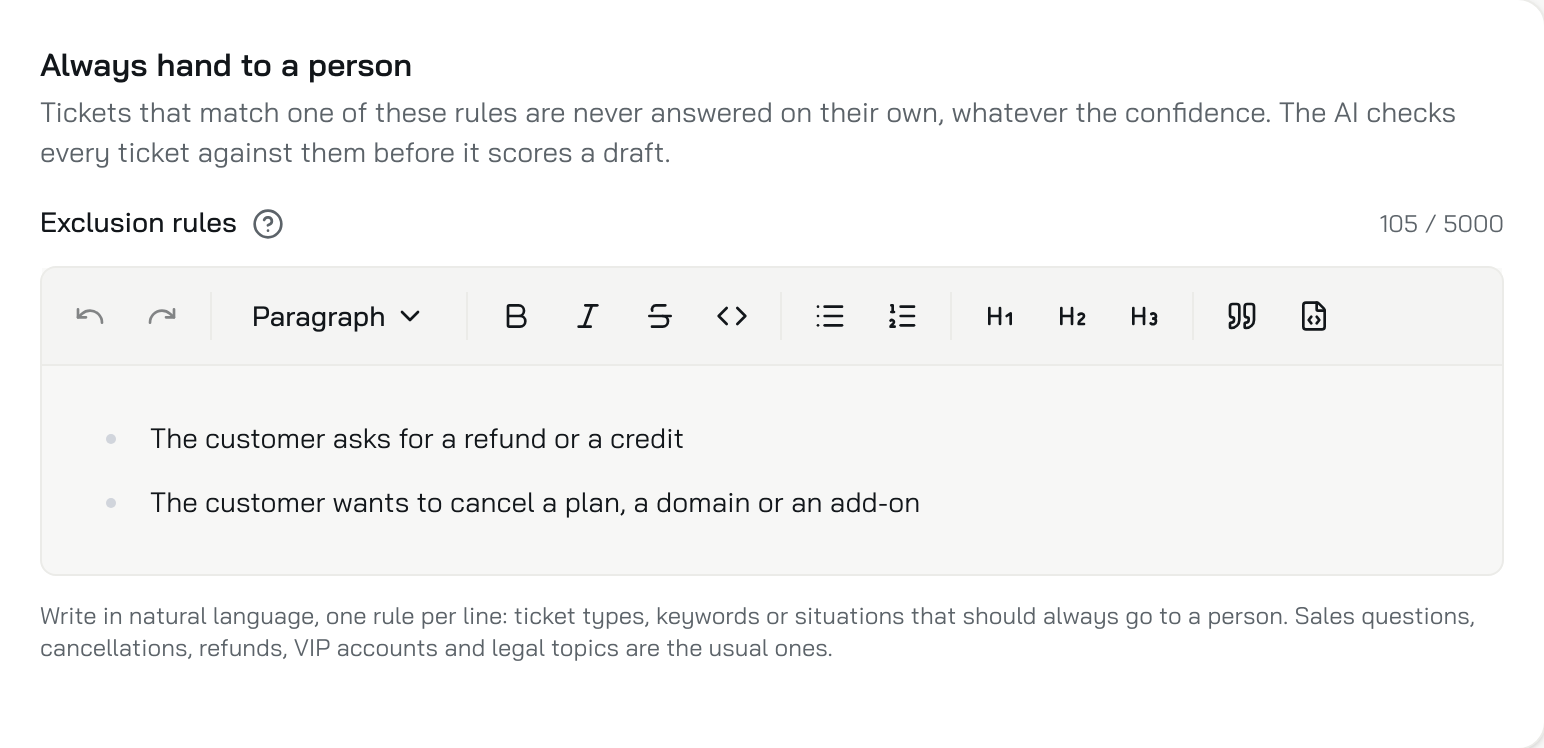
Last, write down what must reach a person even at night, one rule per line under Always hand to a person. Refunds and cancellations are among the usual ones. If outages come in at night, such as a server or a site that is down, add them too, because they need a person. Konrado checks every ticket against these rules before it scores the draft, so a match goes to your team every time. Larkmoor’s list, below, has one rule for refunds and credits and one for cancellations.
The first week counts your own nights
Choose Shadow for the first week, and Konrado decides on every new ticket inside your windows and sends nothing. It skips the ones that arrive outside them. After a few days, the banner on the Status tab shows how many messages would have been answered on their own.

From 1 August to 31 October 2026, Konrado’s auto replies judged 7,209 ticket messages across our customers’ help desks. Konrado was confident enough to answer 2,789 of them, about 4 in 10. That count includes Shadow, which sends nothing, and messages at any hour, so it cannot tell you how your own nights will go. When the replies Konrado would have sent read right, switch to Live and leave the Schedule on.
A Monday at 21:47
It is the first live evening, Monday 2 November 2026, and at 21:47 a Larkmoor customer writes that their web designer needs FTP access. They ask where to find the details. A weekday evening is inside the After hours window, and Konrado is confident in its reply, so it sends it at 21:50. The reply gives the path to the FTP accounts page, the host and the port, and says how to reset a lost password. This is that ticket, with the question and the reply Konrado sent by itself.
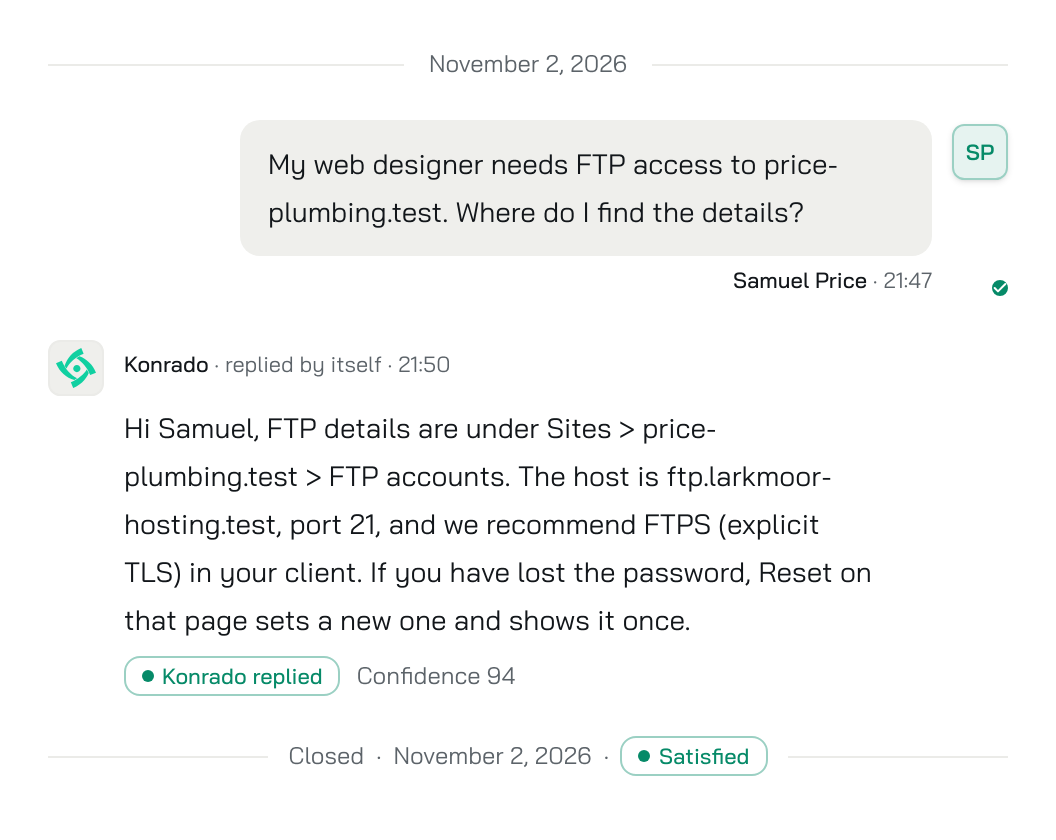
The customer has what the designer needs 3 minutes after asking. When your team logs in the next day, that ticket is already answered. What waits for them is the rest, such as the tickets Konrado was unsure of and the ones on your list, each with its draft.
The Hosting Heroes, a UK hosting provider, uses Konrado to help its team answer recurring customer questions. Chris Danks, its Managing Director, says: “It genuinely feels like we’ve hired the perfect teammate who works 24 hours a day and always does their best to respond quickly and efficiently.”
If your nights need a person, keep the drafts
If people on your team work shifts around the clock, keep every hour on drafts. A night ticket already reaches someone who can send the draft. Keep the drafts at night too if most night tickets are outages, or if the shadow week shows few replies Konrado would have sent.
With one person on call, you can still go Live and turn on Reply delay. Every reply then waits the minutes you set, so that person has time to step in. If a night reply goes out that should not have, add the case to your list, or switch back to Shadow while you fix it.
What to do now
Open the Auto replies guide and start Shadow with the Schedule on After hours. A week later, fix what Konrado would have got wrong and go Live. If your help desk is not connected yet, connect WHMCS, SupportPal or a custom help desk first, because Konrado reads and answers tickets through it.